SOTI is an enterprise-grade device management platform built for large organizations running tens of thousands of devices across multiple operating systems and a mix of specialized hardware. The feature set is extensive – and the deployment cost reflects that. For companies that mostly run Android, that level of functionality is overkill – and so is the learning curve that comes with it. Headwind MDM covers everything needed to manage an Android fleet without the complexity or the price tag. So the choice between Headwind MDM and SOTI usually isn’t a question of features. It’s a question of whether the platform fits your scale, your infrastructure requirements, and your budget. For Android-only fleets, Headwind MDM is often considered a practical SOTI alternative.
Here’s a quick overview of how Headwind MDM and SOTI compare.
| Headwind MDM | SOTI MobiControl | |
|---|---|---|
| Type | Open-source Android MDM | Enterprise UEM/EMM (SOTI ONE platform) |
| Open source | Yes (Community Edition) | No |
| Platforms | Android (including non-GMS, custom ROMs, AOSP) | Android, iOS, Windows, macOS, Linux, + IoT |
| Pricing | Free Tier, Lifetime License, Support & Cloud Subscriptions | Subscription only |
| Pricing transparency | Public (Enterprise on request) | On request, often via resellers |
| Typical setup | Easy (hours to days) | Complicated (up to 3-month implementation) |
| Remote support / diagnostics | Remote control, logging, diagnostic agents | SOTI Assist, XSight |
| Custom ROM & AOSP support | Yes, with instructions | Apparently no – not documented |
| Firmware preinstallation | Yes, with instructions | Probably (not documented) |
| Air-gapped network deployment | Yes, with instructions | Probably (not documented) |
Pricing and Total Cost of Ownership
SOTI doesn’t publish a price list. To get a price, you have to request a quote directly from the company, and the price typically depends on the scale of the project, contract length, and specific business requirements. The cloud version reportedly starts around $4 per device per month – but that’s a starting point, not the final figure. Additional modules in the SOTI ONE ecosystem, such as Assist for remote support or XSight for diagnostics, are licensed separately. On larger projects, implementation and managed services can be folded into the contract as well. Across G2 reviews, customers consistently flag SOTI as one of the most expensive options on the market, with typical deployments taking about three months.
Here’s a simple example. A company with 300 Android devices at $4 per device per month is looking at roughly $14,400 a year, or close to $43,200 over three years. That figure doesn’t include any additional modules or services.
Headwind MDM takes a different approach. The key advantage is perpetual licensing: instead of paying per device every month, you buy a Headwind MDM Premium license once, and it’s yours. For a fleet running over three years, this typically works out to at least 5x lower total licensing cost compared to a subscription model – and the gap widens the longer the deployment runs. Optional annual support keeps you current on updates, but the core license never expires.
SOTI’s strength isn’t in the license price – it’s in enterprise breadth: unified management of many device types and operating systems from a single console. For companies running mostly Android, that breadth is more than the use case requires.
For companies that mainly manage Android devices and don’t need the broader enterprise feature set, a large portion of what SOTI offers may go unused.
There’s a flip side to the self-hosted approach worth being honest about. Running Headwind MDM on your own server means your team owns the updates, certificates, backups, and system availability. A free or low-cost license saves money, but it spends some of your IT team’s time and attention instead.
On-Premise Hosting Is Not the Real Difference
Unlike many cloud-only MDM products, SOTI MobiControl can be deployed on your own infrastructure, and it does support offline on-premise installations. But there are documented caveats. By SOTI’s own documentation, an offline deployment still requires an initial internet connection to activate, may need direct involvement from SOTI Support to set up, and does not provide access to the full feature set. Headwind MDM, by contrast, runs fully air-gapped from the start – its own push mechanism means no Google services, no external activation server, and no reduced functionality inside a closed network. The real difference isn’t where you run it – it’s what you’re running and how much control you actually have over the system.
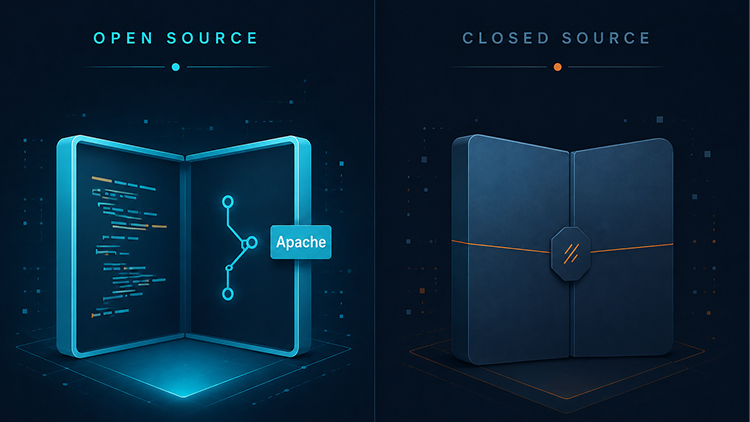
SOTI MobiControl on-premise is still a large, closed-source enterprise platform with the licensing model to match. Headwind MDM, by contrast, has an “open-core” architecture: the base Community version is free and open source, and the Enterprise functions are provided under commercial licenses. That means organizations can read the code, run their own security audits, adapt the platform to specific requirements, and build extensions on top of it.
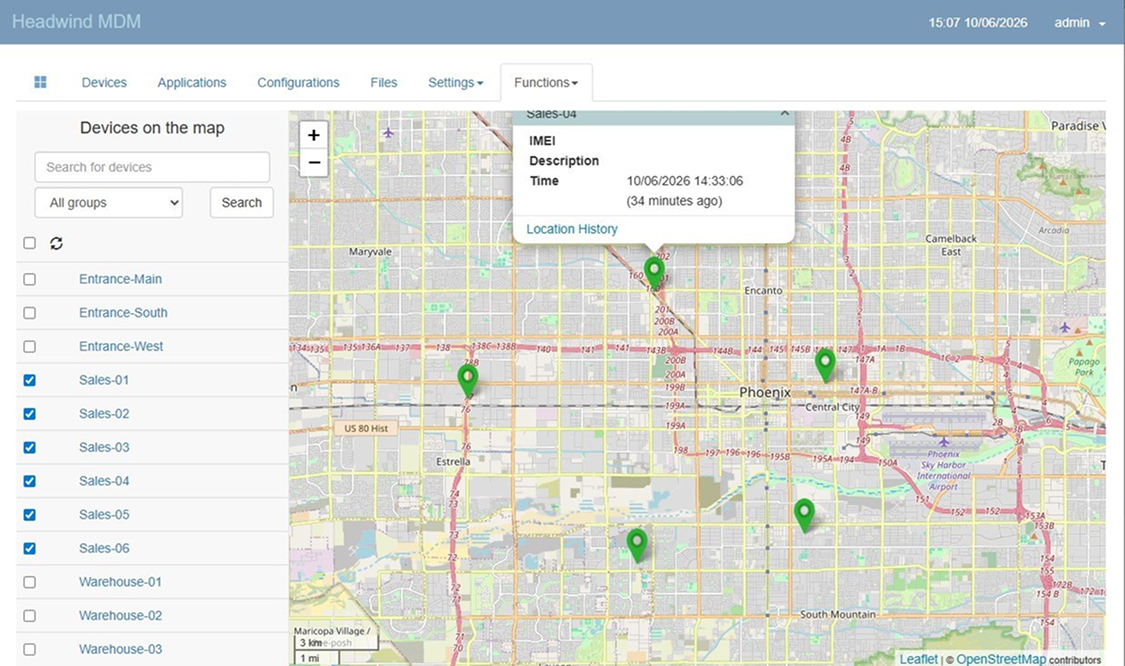
Headwind MDM – Device Location Tracking Function
Both systems can run inside an isolated network. Only with open source, though, do you get the ability to fully verify and control the software you’re using to manage your devices.
There’s another distinction worth pointing out, and it has to do with how commands reach the device. Headwind MDM uses its own push mechanism and doesn’t depend on Google Firebase Cloud Messaging (FCM). That makes it possible to manage devices without Google services in the picture – AOSP builds, custom ROMs, and devices deployed in closed corporate environments where Google connectivity isn’t available or isn’t allowed.
When you compare Headwind MDM and SOTI, the question usually isn’t cloud versus on-premise. Both platforms support local deployment. The more meaningful divide is the architecture itself: open or closed, and how heavy the platform is relative to what you actually need to run.
Android Specialization vs Enterprise Breadth
You can’t really compare Headwind MDM and SOTI without giving each platform credit for what it does well. This is where the differences become most visible.
SOTI is widely regarded as one of the leaders in managing large enterprise device fleets. The platform is particularly strong in deployments involving rugged devices from manufacturers like Zebra, Honeywell, and Datalogic. It supports a broad set of mass-enrollment and provisioning tools, including Android Zero-Touch, Samsung Knox Mobile Enrollment (KME), Zebra StageNow, and SOTI’s own Stage solution.
Additional SOTI products like Assist and XSight provide advanced remote support, diagnostics, and device-health analytics – capabilities that help shorten downtime and accelerate incident resolution. For companies with distributed infrastructure, SOTI’s optimized content and application delivery over unreliable connections can be a real advantage as well.
Another meaningful strength of SOTI is multi-platform coverage. Beyond Android, the system centrally manages iOS, Windows, macOS, and Linux devices, along with various IoT endpoints – printers, scanners, sensors. For large multinational companies with heterogeneous infrastructure, this kind of unified approach can be the right call.
Headwind MDM is built for a different problem. The platform focuses on Android and AOSP devices and offers deep integration in that specific area. Its core capabilities include Android and Samsung Knox support, pre-installing the agent into device firmware, kiosk modes, remote application install and update, device location, network traffic filtering, and other tooling that comes up regularly when managing Android fleets.
For digital kiosks, information displays, self-service terminals, Android set-top boxes, corporate smartphones, and employee mobile devices, Headwind MDM is usually more than enough. And organizations aren’t paying for support of platforms and scenarios they don’t actually use.
The difference becomes clear when you look at deployment models. Headwind MDM is most effective in Fully Managed and Dedicated Device (Kiosk) scenarios – the cases where you need centralized control over Android devices. SOTI plays to its strengths in larger mixed environments running multiple operating systems, specialized hardware, and complex mass-deployment processes.
So the choice between the platforms comes down primarily to what’s actually in your infrastructure. If the business runs on Android devices, Headwind MDM gives you a specialized toolkit without extra complexity. If the organization manages a wide range of device types and operating systems, SOTI’s broader capabilities may be the better fit.
SOTI’s Sweet Spot: Mixed Enterprise Fleets
There are scenarios where SOTI genuinely is the right solution, and the cost can be fully justified.
This applies first and foremost to large infrastructures where devices on several operating systems need to be managed simultaneously. If the organization runs a mix of Android, iOS, Windows, macOS, Linux, and various IoT devices under a single management plane, SOTI’s capabilities can be significantly more useful than a specialized Android-only solution.
The platform offers an additional edge for organizations with remote sites and unstable connectivity. In those scenarios, SOTI’s specialized application and content delivery mechanisms allow work to continue even when network bandwidth is limited.
SOTI’s strengths show up most clearly in large transport, logistics, warehousing, and distribution companies – organizations managing thousands of devices, with the IT budget and operational resources to run an enterprise platform of that caliber.
For companies like these, the high licensing cost can be a sound investment. The platform’s additional capabilities can deliver meaningful savings on operational expenses and improve the reliability of business-critical processes.
When Headwind MDM Is the Right SOTI Alternative
If your fleet is built on Android or AOSP devices – kiosks, digital signage, rugged terminals, field devices, or your own hardware – Headwind MDM is often the more logical choice.
When the budget doesn’t allow for an enterprise UEM platform, or there’s simply no need for one, Headwind delivers the feature set you actually need without the corresponding cost.
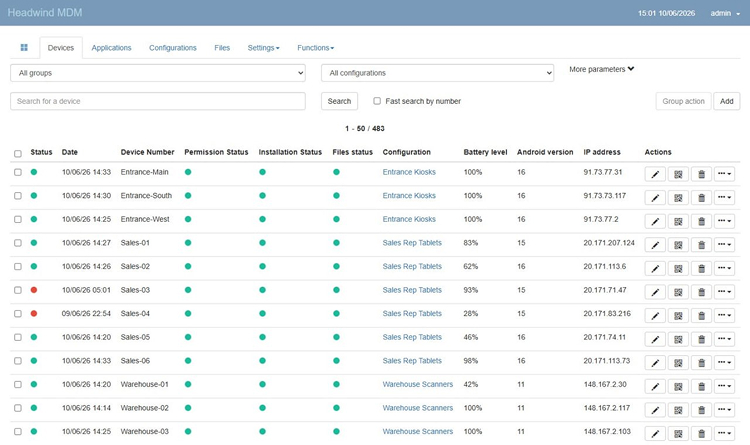
Headwind MDM – Device Management Dashboard
For organizations where data control and open source matter, Headwind is a strong candidate here too. You can deploy the system yourself, read the code, run a security audit, and adapt the solution to your requirements where needed. Headwind also fits teams that want to stand up an MDM this week rather than going through a months-long process of implementation, approvals, and integrations.
Another plus: there’s no need to negotiate licensing terms, request custom quotes, or work through a reseller network.
And then there’s what’s probably the most common scenario of all: you requested a quote from SOTI for an Android-only project, got the number back, and realized the scale of the solution and its price tag don’t match the actual scope of the task. In cases like that, Headwind MDM is often the more practical – and easier to justify on cost.
Migrating from SOTI to Headwind MDM
Moving from SOTI to Headwind MDM, like any migration between MDM platforms, requires re-enrolling devices. Policies and configurations don’t typically carry over automatically, so they’ll need to be set up again in the new system.
There are a few things specific to SOTI worth flagging. If your organization relies heavily on SOTI Assist or XSight for remote support and diagnostics, or on XTreme for content delivery over bandwidth-constrained connections, it’s worth deciding ahead of time what you’ll use in their place after migration. These capabilities are part of the SOTI ecosystem, so before making the switch, verify that the functionality available in Headwind MDM (for example, Headwind Remote, a tool for remote access to devices) and its surrounding tooling covers your workflows.
For typical kiosk management, rugged Android device deployments, and corporate Android fleets without those kinds of dependencies, the migration usually goes pretty smoothly.
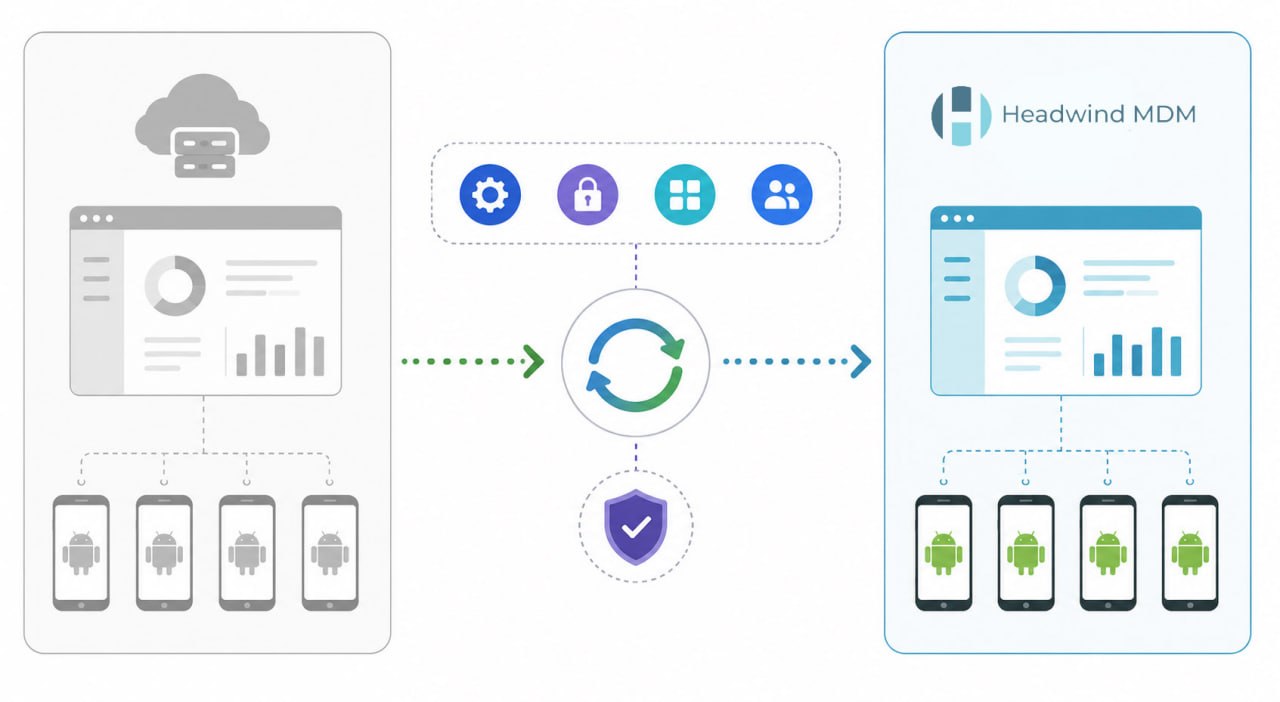
The standard process looks like this:
- Deploy Headwind MDM – you can start with the cloud version for quick testing or install the system on your own infrastructure for full control over your data.
- Enroll a few test devices (QR code enrollment is the preferred option) and reproduce your existing configuration by setting up device groups, kiosk profiles, application policies, and any other settings required to match your current SOTI profiles.
- Choose a small group of “beta testers” within your organization and re-enroll their devices in Headwind MDM using the configurations created in the previous step.
- Once the test fleet has been verified to be working correctly, schedule a staged migration of the remaining devices to Headwind MDM.
- After all devices have been migrated, decommission SOTI – and time the cutover to align with your contract end date or renewal date.
For smaller fleets, the migration can be done over a weekend. For larger deployments, it’s worth scheduling a dedicated migration window in advance, since re-enrollment is performed device by device.
The safest approach is to keep both platforms running in parallel until the new management setup has been fully tested and validated in production. Once that’s confirmed, SOTI can be retired for good.
FAQ
Is Headwind MDM a cheaper alternative to SOTI?
Yes. From a licensing cost perspective, Headwind MDM is significantly less expensive. Companies can use the free Community Edition or purchase a Premium license with a one-time payment, whereas SOTI typically uses an enterprise licensing model with custom quotes and recurring payments.
The functional coverage differs too. SOTI offers multi-OS management, IoT device support, and advanced remote support tooling. Headwind MDM, by contrast, specializes in managing Android and AOSP devices.
Can Headwind MDM manage iPhones, Windows devices, or IoT printers the way SOTI does?
No. Headwind MDM is designed exclusively for managing Android and AOSP devices.
If your organization needs centralized management for iOS, Windows, macOS, Linux, or IoT hardware such as printers and sensors, SOTI offers a significantly broader set of capabilities.
Can Headwind MDM be deployed on-premise or in a fully air-gapped network, like SOTI On-Premise?
Yes. Headwind MDM supports deployment on your own infrastructure, including fully isolated environments with no internet access.
Beyond that, Headwind MDM is open source. That means you can read the code, run a security audit, adapt the platform to your own requirements, and build extensions on top of it. Both platforms can run in isolated networks – but only Headwind gives you full access to the system’s source code through its open-source Community Edition.
How well does Headwind MDM handle rugged device management compared to SOTI?
For most rugged Android device management tasks, Headwind MDM provides everything you need – kiosk mode, Android Enterprise, Samsung Knox, application management, and the ability to integrate at the device firmware level.
If the organization needs advanced remote diagnostics, complex technical support scenarios, or is managing a very large distributed device fleet, SOTI’s enterprise capabilities may be the better fit.
Is Headwind MDM difficult to deploy?
In most cases, Headwind MDM can be deployed significantly faster than traditional enterprise device management platforms.
Where rolling out a large platform like SOTI can take weeks or even months, Headwind MDM can often be installed and configured within a single day.
A self-hosted deployment will require basic Linux administration skills and someone responsible for maintaining the server. If you’d rather skip that and get up and running as simply as possible, Headwind MDM Cloud is available – setup and device enrollment are handled through the web interface and QR codes.
Conclusion
SOTI is an enterprise platform built for enterprise problems, and it does that job very well. But many companies choose it for managing kiosks or a few hundred rugged mobile devices – and end up paying for capabilities designed for infrastructures on a completely different scale.
If your fleet is mostly Android and you don’t need to manage tens of thousands of devices across multiple operating systems alongside IoT hardware, an open-source solution can deliver the same day-to-day functionality at a fraction of the cost.
In the end, the choice isn’t about which platform has more features. It’s about which one better fits the work you actually need to do.
The simplest way to decide is to just try it. You can deploy the free Headwind MDM Community Edition or start a Headwind MDM Cloud trial, and see how the platform performs on your own devices within a single day.