Headwind MDM 5.40.1 is now available, together with mobile agent 6.37. This is a maintenance release. It brings a new multi-tenant search option and several fixes across plugins, logging, and kiosk mode. Both components are recommended updates for all installations.
What Headwind MDM 5.40.1 changes in the web console
The web console update focuses on multi-tenant management and audit visibility.
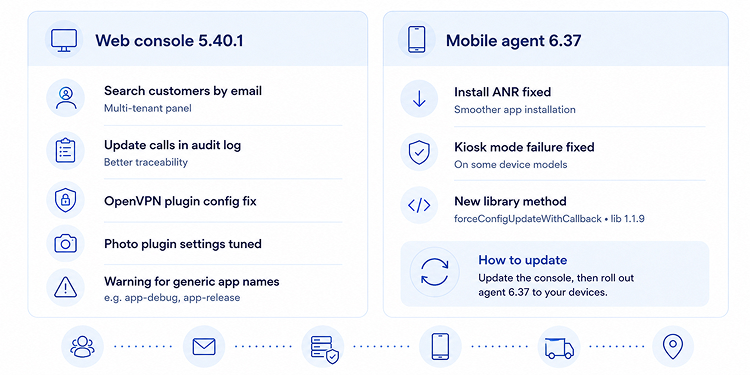
- The multi-tenant panel now supports search by customer email address.
- Calls to update methods are now recorded in the audit log.
- Fixed a configuration issue in the OpenVPN plugin.
- Adjusted the settings of the photo plugin.
- The console now shows a warning when a generic application name is used (for example, app-debug or app-release).
Providers who run many tenants can now find a customer by email instead of scrolling through the full list. The new audit log entry for update calls gives clearer accountability when a configuration changes. The generic-name warning helps you catch a placeholder build before it reaches production devices.
Mobile agent 6.37: kiosk stability and a smoother app install
The agent update targets reliability on managed devices.
- Fixed an ANR (application not responding) that occurred during installation of some apps.
- Added a new option that fixes kiosk mode failure on certain device models.
- Added the library method
forceConfigUpdateWithCallback. The library version is now 1.1.9.
Retail, digital signage, and other single-purpose deployments benefit most from the kiosk mode fix, since a locked device that drops out of kiosk mode needs a manual touch on site. The install fix removes a common source of stuck rollouts across large fleets.
How to update
Update your Headwind MDM installation to web console 5.40.1 and roll out agent 6.37 to your devices. Follow the step-by-step update instructions, which now cover Cloud as well.