If you’re looking for a Hexnode alternative for your Android fleet, Headwind MDM offers a different model. Hexnode is a capable mobile device management platform. It runs as a cloud service and supports several operating systems. It gives smaller IT teams a fast way to enroll and manage company devices.
Headwind MDM solves the same problems with a different approach. It is open-source software you host on your own server. It focuses on Android. It removes the dependency on Google services that most cloud platforms carry. This article compares the two solutions so you can decide which model fits your requirements.
Headwind MDM supports over 1,000 paying companies across retail, field service, kiosks, OEM manufacturing, and government. Even more teams use the Community Edition, both for testing and for full production use. The comparison below reflects the questions these teams ask most often.
Quick comparison
| Area | Headwind MDM | Hexnode |
|---|---|---|
| Hosting | Self-hosted | Cloud SaaS |
| Source code | Open-source (Apache License) | Closed |
| Google services | Optional, works without GMS | Required for QR enrollment via Android Enterprise |
| Air-gapped networks | Supported | Not supported |
| Free production tier | Free Community Edition, 2-month on-premise trial | 14-day free trial |
| Pricing model | Predictable, step-based | Per-device subscription |
Deployment: who runs the server
Hexnode runs in its own cloud. Your data lives on Hexnode infrastructure, and your device traffic passes through their servers. For a small team with no spare server capacity, this is a convenient option.
Headwind MDM takes the opposite approach. You install the server on hardware you control. That can be a cloud virtual machine, a local computer, or a server inside a closed network. The database belongs to you alone. Device records, location history, and configuration data stay on your own infrastructure. It is a fully secure solution if data ownership is a priority.
Self-hosting takes time to set up. You provision the server and keep it patched. In exchange, you remove a third party from the data path. The most common question we hear from teams leaving cloud platforms is whether device data ever leaves their network. With self-hosting, the answer is no, and that closes a lot of compliance and security reviews.
Open-source vs closed-source
Hexnode is closed-source software. You use the features the vendor builds and rely on the roadmap they set.
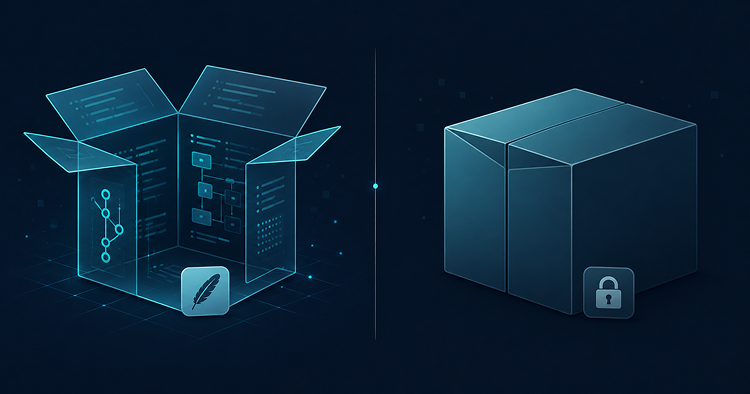
Headwind MDM follows an Open Core model. The Community Edition is fully open-source and published on GitHub under the Apache license. Both the server and the Android agent are available with source code, so you can review the implementation, audit how device data is processed, and verify that the agent behaves as documented. Enterprise customers get more: the mobile app source code is provided directly to clients, giving full freedom for customization and integration. If your security team requires source code review before deployment, you can hand over the actual source.
Open source protects you against single-vendor lock-in. The platform will not disappear if the vendor changes direction. A free Community Edition is available with no license fee, so you can manage a production fleet of devices and evaluate the commercial plan at your own pace. See open-source for license details.
Android Enterprise and enrollment
Hexnode relies on Android Enterprise for some of its enrollment flows. QR code generation in Hexnode requires an Android Enterprise binding, which assumes Google Mobile Services on the device and a linked Google account. On standard Samsung or Pixel phones this works. The phone ships with GMS, the QR code works and enrollment completes.
The problem starts when the device has no Google services. Rugged handhelds from smaller manufacturers often ship without GMS. Custom AOSP builds strip these services out. Devices built for certain markets often lack them as well. On hardware like that, an enrollment flow tied to Android Enterprise has no way to bind.
Headwind MDM does not require Google services. Enrollment happens through a QR code, a direct download, or a pre-installed image, with no need to reach out to Google. It supports AOSP builds from Android 9 onward, including devices flashed with custom ROMs and OEM hardware that never carried GMS. If your fleet includes phones without the Play Store, this is a deciding factor.
The official requirements for the Google-managed path are documented on the Android Enterprise site, and they make the GMS dependency clear.
Pricing model
Hexnode prices each device on a subscription basis, with additional features unlocked by tier. This model is typical for SaaS UEM solutions. Cost grows as the device count goes up and renews every month.
For example, if you have 2,500 devices on the Hexnode Enterprise plan at $3.20 per device per month, the math is simple: 2,500 devices × $3.20 × 12 months = $96,000 per year.
Headwind MDM uses predictable pricing. The paid Premium plan is grouped by device count rather than billed per individual unit, so your expenses grow in clear steps as the fleet expands. The Community Edition has no license fee. See pricing to find the step that matches your fleet size.
Air-gapped and sovereign deployments
Some organizations block internet access by security policy. Defense, critical infrastructure, and regulated manufacturing run isolated systems where outbound connections are blocked. A cloud platform cannot serve those networks. Hexnode needs to reach its own servers, and a device inside an isolated network cannot connect to the cloud.
Headwind MDM runs fully offline. The server sits inside the isolated network, the agents talk only to that server, and no data leaves the perimeter. Because the platform does not depend on Firebase or FCM for push notifications, it has no hidden requirement to reach Google to function. For sovereign and air-gapped deployments, this is a strict requirement that only a self-hosted platform can meet.
Kiosk mode, OEM integration, and custom launcher
Both platforms support kiosk mode and app management. The difference is in how deeply each one implements them.
Headwind MDM provides deep kiosk mode and launcher control as core platform features. The custom launcher locks the device to an approved set of apps, controls the home screen, and restricts access to settings. For retail tablets, digital signage, and field terminals, this level of control is ideal. See kiosk mode for details.
OEM integration is another area where the open model offers an advantage. Manufacturers building Android devices can integrate the agent at the system level and ship hardware with management built in. Source code access makes that kind of integration practical in a way a closed cloud product cannot match.
Multi-OS vs Android specialist
Here Hexnode has an advantage worth acknowledging. Hexnode manages devices on Android, iOS, Windows, and macOS. If your fleet includes iPhones, Windows laptops, and Android tablets, a single platform covering all of them is genuinely useful.
That specialization is a deliberate trade-off. A platform built for one OS can offer deeper support for that OS. AOSP support, no-GMS enrollment, and OEM integration became possible by focusing on Android instead of four systems at once. The choice between breadth and depth depends on what your fleet actually contains.
When Hexnode is the better choice
Choose Hexnode if your fleet runs on different operating systems and you need a single console to manage all of them. Choose it if every device ships with Google services and you have no AOSP or no-GMS hardware. Choose it if you have no server resources and cannot manage infrastructure yourself, and a fully managed cloud is the priority. For a small mixed fleet of standard consumer devices, Hexnode is a reasonable choice.
Headwind MDM as a Hexnode alternative: when it fits better
Headwind MDM is the stronger choice when control and independence matter.
It fits when your devices run AOSP or ship without Google services, since GMS is not required. It fits when data residency rules or security audits require that data live on your own server. It fits air-gapped and sovereign networks that a cloud platform cannot reach. It fits when you want to review the source code before deployment, and when predictable step-based pricing matters more than a managed cloud solution.
You can evaluate it at no license cost with the Community Edition.
FAQ
Is Headwind MDM a true Hexnode alternative for Android device management?
Yes. Headwind MDM covers the same core MDM and kiosk-mode tasks as Hexnode for Android fleets. It enrolls devices, manages apps, locks down kiosks, tracks location, and pushes configuration. The difference is the model: Headwind MDM is open-source, self-hosted, and works without Google services, while Hexnode is a closed cloud SaaS that requires Android Enterprise for QR enrollment.
Does Headwind MDM require Google Mobile Services like Hexnode?
No. Headwind MDM enrolls devices through QR code, direct download, or a pre-installed image, and none of those paths call Google. It supports AOSP builds from Android 9 onward, including custom ROMs and OEM hardware without GMS. Hexnode requires Google Mobile Services for QR-based enrollment through Android Enterprise.
How does Headwind MDM pricing compare to Hexnode?
Hexnode uses per-device subscription pricing with tiered features, billed monthly or annually. Headwind MDM uses predictable, step-based pricing grouped by device count, and offers a free Community Edition for production use with no license fee.
Is the Headwind MDM source code really open?
Yes. Headwind MDM follows an Open Core model. The Community Edition is fully open-source: both the server and the Android agent are published on GitHub under the Apache license. Security teams can review the code, audit how device data is processed, and verify that the agent behaves as documented. For Enterprise customers, the same principles extend further. The mobile app source code is provided directly to clients, giving maximum freedom for customization and deep integration. Hexnode is closed-source across all plans.