Challenges of IT Technicians
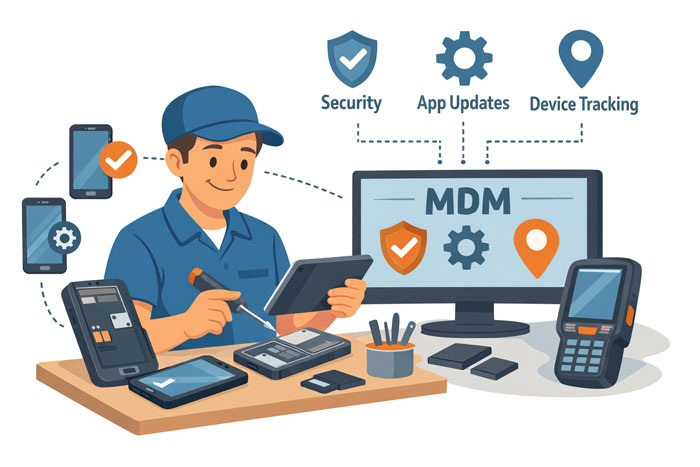
In their everyday work, IT technicians and support specialists deal with hundreds of company-owned mobile devices:
- Field workers’ mobile devices and tablets
- Handheld barcode scanners in warehouses and retail units
- Standalone devices (kiosks and information boards)
Proper management of these devices without a special tool is a challenge. Users install unwanted software and complain failures, whereas the resolution of each issue may require hours of work and even a long travel to the device location. Failure of a work device may block the employee’s duties, following with work delays and customer complaints.
Even setting up of many work devices at once could be a challenging task.
Seamless MDM Deployment and Migration
Installing Headwind MDM on the company-owned devices effectively resolves these IT issues.
Concerns about the Enterprise license price can be addressed by the seamless and risk-free implementation workflow:
- Setting up a free trial on the customer premises.
- Configuring a work profile and testing it on a small group of devices.
- Extending the number of managed devices.
- Demonstration of the device management efficiency.
A similar workflow could be applied to migrate from the existing MDM system without affecting business processes.
Unified Device Setup
Device enrollment is done by scanning a QR code and doesn’t involve any complicated steps like manual software installation or configuration. This job could be done by local non-tech representatives and save the IT support resources.
A large group of similar devices could be configured this way, making them replaceable (in the case of a device failure, a reserved item may be quickly used, so the business process won’t break).
Boost the Work Efficiency
To prevent users from changing settings and running unwanted applications, we recommend using kiosk mode, when devices are locked and only a few applications (or even a single one) are avaliable. This MDM feature works great for standalone devices, in-vehicle tablets, as well as in most corporate environments. It enhances the device security and boosts the efficiency of field workers.
The corporate software is maintained from an MDM panel, keeping the software up-to-date in a few minutes.
Pilot implementation
To start managing company-owned devices or migrating from an existing MDM, you have the following options:
- Install the Headwind MDM Community. In some cases, Community edition is enough – this is a completely free solution.
- Set up an account in our cloud – recommended for a small business. Click “Sign in” to continue in the Cloud.
- Request a free trial of Headwind MDM Enterprise – the most common option for our customers. Our support team is happy to assist you with setting it up.